


What You Get with Our iPad Mini 2 Screen Replacement Service – Premium Parts, Expert Fitting, Full Warranty and Fast UK-Wide Turnaround
When your iPad Mini 2’s screen is cracked, scratched, or completely shattered, you don’t just want a quick fix — you want a professional iPad Mini 2 screen replacement that restores your device to perfect working condition and ensures it stays reliable for years to come. Our service focuses on replacing the front glass and digitiser (touch layer) while keeping your original LCD intact if it’s still in excellent condition. This means you save money without compromising on the quality of your display’s colours, brightness, and clarity.
We work exclusively with premium-quality, manufacturer-sourced, Apple-compatible components, ensuring that every replacement part meets strict quality control standards. Each repair is carried out by highly trained technicians who follow precise fitting procedures to guarantee flawless touch responsiveness, smooth gesture control, and a factory-perfect finish.
Once your new screen is installed, we perform a comprehensive post-repair testing process — checking touch accuracy, display alignment, and all related functions — so you can leave our shop confident your device works exactly as it should.
Here’s what makes our UK iPad screen repair service stand out:
Top-grade replacement glass + digitiser, tested for durability and performance.
Expert installation by technicians with years of Apple device repair experience.
Full warranty equal to what Apple offers, for your peace of mind.
Fast turnaround times – in some cases, same-day completion for local repairs.
UK-wide postal repair option so you can get your device fixed without leaving home.
By combining premium iPad screen replacement parts with precision fitting and a customer-first approach, we deliver a repair service that’s not only fast and reliable but also built to last — helping your iPad Mini 2 look and perform like new.

Why Our iPad Mini 2 Screen Replacement Stands Out – Certified Parts, Precision Work, and Long-Lasting Results
Our iPad Mini 2 screen replacement service focuses on restoring your device with precision, care, and the highest quality materials. For this model, we replace the front glass and digitiser as one panel, keeping your original LCD in place as long as it’s free from lines, flickering, or other defects. This ensures you retain the original display performance while getting a brand-new, flawless touch surface.
Every replacement panel we use is manufacturer-sourced and fully Apple-compatible, undergoing a strict quality inspection before fitting. This means no scratches, distortions, or dimensional mismatches — just a perfect fit and long-lasting durability. All work is carried out in an ESD-safe, dust-controlled environment with temperature regulation, using techniques that avoid unnecessary stress on the LCD and connecting flex cables.
We carefully transfer your original Home Button, ensuring proper alignment and preserving full Touch ID functionality. The frame is fully prepared by removing all old adhesive and debris, with minor corner corrections made if necessary. We apply a premium-grade, flexible adhesive — the same approach used in OEM repairs — and secure the panel with clamps for several hours to guarantee strong bonding. This curing process typically means your iPad will be ready within 24 hours, with no rushed shortcuts that could cause lifting edges or dust ingress.
After curing, the device undergoes a full post-repair quality check, including touch mapping, gesture response, edge alignment, sensor operation, and charging tests. We never access, erase, or reset your data — your settings remain exactly as before.
Every repair comes with a written warranty covering both parts and labour, with no hidden costs. Unlike cheap repairs that use brittle glue or inferior tape, our method ensures your screen remains secure yet serviceable for future maintenance.
Want to know how good we are?
- Please check our reviews on Facebook, Trustpilot , Google or Yell
iPad Mini 2 Screen Replacement Cost – What Affects the Price and How to Get the Best Value Without Compromising Quality
When it comes to the cost of iPad Mini 2 screen replacement, the final price depends mainly on the type of repair required. If your LCD display is still perfectly functional — with no lines, dead pixels, or flickering — we can replace just the front glass and digitiser. This is the more affordable option, as you are not paying for a new LCD panel. However, if the LCD is damaged, the repair will require a full display assembly (LCD + digitiser + glass), which increases the cost due to the higher price of the complete module.
For this model, the repair is typically less expensive compared to newer iPads, as the design allows for glass-only replacement where possible. However, the cost can rise if other elements need attention — such as frame corner correction, sensor adjustments, or charging port repairs carried out at the same time.
Choosing the cheapest service is not always the best decision. Low-cost providers may use substandard glass or adhesive, which can lead to lifting edges, reduced durability, and even dust ingress over time. Poor-quality digitisers often cause ghost touches or reduced touch responsiveness, which can make your iPad frustrating to use.
At Free Fusion, the price you pay includes:
Certified, manufacturer-sourced and Apple-compatible parts.
Full frame cleaning and preparation before fitting.
Professional adhesive curing over several hours to ensure strong bonding.
Comprehensive post-repair quality control — covering touch accuracy, display performance, button operation, charging, and sensors.
A written warranty for both the part and our workmanship, with no hidden charges.
The typical turnaround time is up to 24 hours, mainly due to adhesive curing. We never rush this stage, as it is essential for preventing future issues such as screen lifting or dust getting under the glass.
For a detailed overview of repair options and prices across different iPad models, you can explore our full iPad screen replacement service and see exactly what fits your needs and budget.
iPad Mini 2 Screen Replacement Near Me – UK-Wide Service with Local Drop-Off and Secure Mail-In Options
Whether you are looking for iPad Mini 2 screen replacement near me or need a trusted solution from anywhere in the UK, we make the process simple, safe, and convenient. We proudly serve customers locally from our repair centre in Corby, Northamptonshire, and nationwide through our secure mail-in service. Whichever option you choose, every repair is carried out to the same exacting standards, using premium, manufacturer-sourced and Apple-compatible parts.
For local customers, you can bring your iPad directly to our workshop, where our experienced team will carry out the repair with precision and care. Depending on the type of service required, you may be able to collect your device the same day, or within 24 hours if adhesive curing is necessary. You can also speak directly with our technicians, discuss any concerns, and get honest, transparent advice about your repair options.
For customers across the UK, our mail-in service is just as straightforward. Simply package your iPad securely, send it via Royal Mail Special Delivery or another insured courier, and we will handle the rest. Upon arrival, we carry out a full inspection, confirm the final cost with you, complete the repair, and return your iPad using tracked, insured delivery. Every device is professionally packaged by our team to ensure it arrives back to you in perfect condition.
Local drop-off eliminates the risk associated with shipping and gives you the added benefit of in-person consultation, while our mail-in option offers flexibility for those who cannot visit us in person. With extended opening hours and multiple delivery options, we make it easy to get your iPad back in working order without disrupting your schedule.
All repairs are completed by our UK iPad repair experts at Free Fusion, trusted by thousands of customers since 2012.
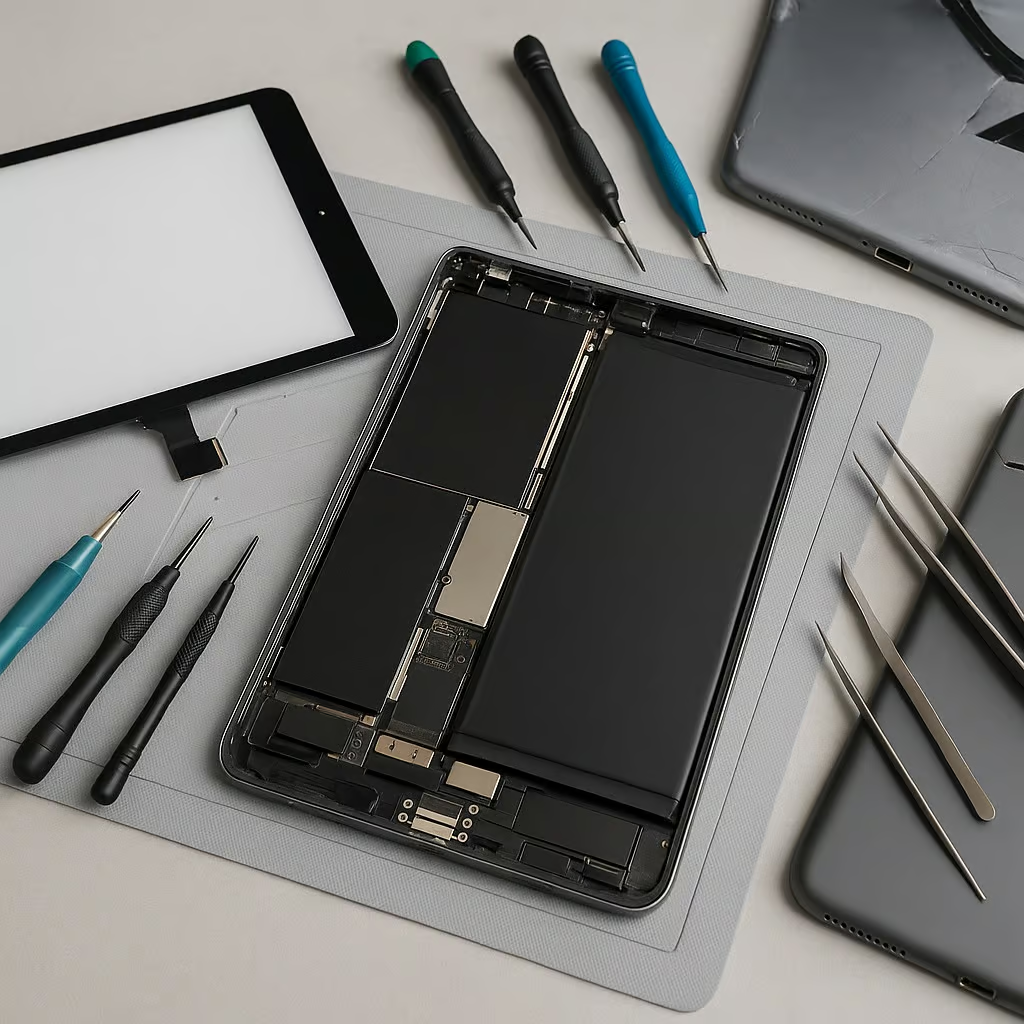
More Than Just Screens – iPad Mini 2 Repairs You Might Need
While a broken screen is often the most visible issue, it’s not uncommon for other hidden faults to appear after a drop or prolonged use. Sometimes these problems are immediate, and sometimes they emerge weeks later, which is why a full diagnostic is the best way to avoid multiple visits to a repair centre.
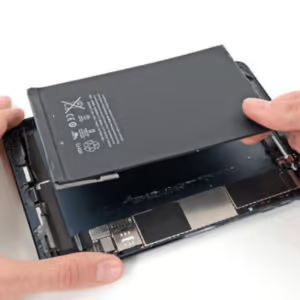
Battery replacement – The battery in your iPad Mini 2 may have been weakened by impact or simply worn down over time. Symptoms include rapid battery drain, unexpected shutdowns even when the battery level is high, or noticeably slow charging speeds. Replacing it can restore your device’s reliability and extend its lifespan.
Charging port replacement – Dust build-up, internal wear, or sudden jolts can loosen the charging port connection. This can result in intermittent charging or complete charging failure, making the device difficult to use without constant adjustments to the cable.
Water damage repair – A cracked glass panel compromises the iPad’s seal, allowing moisture or even humidity to seep inside. This can lead to corrosion on the motherboard or other sensitive components. If your tablet has been exposed to moisture, our iPad Mini 2 water damage repair service can prevent further issues and safeguard your device.
Camera repairs – A fall can cause the camera module to shift out of alignment, leading to blurry or distorted images. In some cases, physical cracks on the lens can also impact picture quality, making repairs essential for clear photos and video calls.
Button or flex cable repairs – The Home, Power, or volume buttons can stop responding after a drop or heavy wear. This is often caused by damage to the internal flex cables, which may require precise replacement to restore full functionality.
Because damage is not always visible, we always recommend a full iPad Mini 2 diagnosis before repair. This ensures we can identify every fault — from obvious screen issues to subtle internal problems — and address them all at once, saving you time and money. Even minor moisture exposure should be treated quickly to prevent lasting damage to your iPad.
Does My iPad Mini 2 Really Need a Full Screen Replacement?
Not every issue with your tablet’s display automatically means you need a full iPad Mini 2 screen replacement. In many cases, the damage is limited to the front glass and can be resolved without replacing the LCD, helping you save money without compromising quality. A correct diagnosis ensures you only pay for the parts that truly need attention.
You may only require an iPad Mini 2 front glass replacement if the LCD works perfectly — showing no spots, discolouration, dead pixels, or backlight bleeding. The touch function should respond smoothly across the entire screen, with no ghost touches or unresponsive areas. Damage that is limited to scratches or cracks on the surface glass is usually an ideal candidate for this more affordable option.
A full display replacement (LCD + digitiser + glass) becomes necessary when there are visible issues with the image, such as dark patches, coloured lines, flickering, or large black areas. If the touchscreen stops responding partially or entirely, the digitiser is likely damaged and must be replaced along with the LCD. Severe problems such as backlight leaks, significant colour distortion, or a completely blank display are also clear signs that a complete module change is required.
For clarity and peace of mind, our detailed iPad Mini 2 diagnosis will confirm whether you need only the front glass replaced or a complete screen unit, ensuring you avoid unnecessary costs. Ignoring display damage can lead to further deterioration, making the repair more expensive and risking other components in your device.
By understanding the difference between these two repair paths, you can make an informed decision and get your iPad back to perfect condition quickly and efficiently, whether you choose the cost-effective glass-only service or the more comprehensive full screen replacement.
How We Replace the Screen on Your iPad Mini 2 – Step by Step
Every iPad Mini 2 screen replacement we perform follows a strict, methodical process designed to ensure your device is handled with the utmost care. By adhering to Apple’s recommended repair practices and using only certified components with professional-grade tools, we minimise the risk of damage to other parts while restoring your iPad to peak performance. Our technicians carry out each repair with precision so that you can be confident your tablet will leave our workshop in perfect working order.
Device Reception and Initial Assessment – Upon arrival, your iPad is carefully inspected for visible damage, and we verify the symptoms you have reported. This helps us prepare the correct repair strategy from the start.
Professional Diagnosis – We conduct a full assessment of the LCD, digitiser, touch response, backlight, frame, and sensors. This process may also reveal hidden issues that could worsen if left untreated.
Safe Disassembly – Using controlled heating to soften the adhesive around the edges, we gently open the device without damaging the frame or seals, ensuring a clean and safe separation.
Battery Disconnection and Component Protection – Before any further work begins, the battery is disconnected to eliminate the risk of short-circuits, and protective barriers are placed around sensitive components.
Removing the Damaged Panel – Depending on the type of repair needed, we either separate the front glass/digitiser from the LCD or remove the full screen assembly.
Installing the New Screen – The replacement panel is carefully aligned, calibrated, and checked for a perfect fit, with all seals restored for durability.
Comprehensive Final Testing – We verify image clarity, touch sensitivity, brightness, colour accuracy, sensor performance, and button functionality to ensure everything meets our quality standards.
Secure Return to the Customer – Your iPad is returned in protective packaging or your original box, ensuring it remains safe until you start using it again.
Your personal data stays safe throughout the process — we do not access or modify your photos, documents, or apps at any stage. This step-by-step iPad Mini 2 screen replacement process is designed to give you a transparent view of how we work, highlighting the professionalism and care that define our iPad repair services in the UK.

What Apple Says About iPad Screen Replacement – And Why Our Service Gives You More Options
When it comes to Apple iPad screen repair, the company’s official stance is clear – in models where the LCD and digitiser are fused together, Apple will only replace the full screen module, not just the glass. For older devices where these components are separate, Apple still offers only full-module swaps and does not provide glass-only iPad repair as a standalone service. This approach can result in higher costs for the customer, especially when the LCD itself is still in perfect working order. At Free Fusion, we offer a more flexible approach, servicing both current-generation devices and those Apple now classifies as “vintage” or “obsolete,” giving you far more repair options.
According to official Apple guidance on iPad service and repair, the company’s standard policy involves replacing the entire screen assembly, regardless of whether the LCD is damaged. While this ensures uniform quality, it also means you cannot opt for more affordable glass-only work on compatible models.
In contrast, our iPad screen replacement UK service is designed to give you control over your repair choices. If your LCD is still intact and functional, we can perform a cost-effective glass-only iPad repair without compromising on performance or durability. We also repair models Apple no longer supports, so you can keep your trusted tablet in service for years to come. Our work comes with a warranty that matches Apple’s length, but at a significantly better value.
Before you decide, it’s worth reading our UK guide to iPad screen replacement prices and repair options for a clear cost comparison and to understand how much you could save. And if you’re wondering whether you really need a full replacement or just the glass, our in-depth comparison of iPad glass-only and full-screen repairs explains the pros and cons in detail.
By combining the precision and reliability of official Apple iPad service standards with the flexibility of independent repair, we give you the best of both worlds – expert workmanship, genuine care for your device, and options that suit your needs and budget.
iPhone Repairs Many iPad Owners Also Need – from Screens and Batteries to Back Glass, Water Damage and Charging Ports
If you’ve recently had your iPad repaired, it’s worth remembering that your iPhone – the device you probably use even more often – can suffer from many of the same issues. Rather than visiting multiple repair shops, you can have both devices serviced in one place at Free Fusion, where every repair is handled with precision, premium-grade parts, and a warranty matching Apple’s own terms. This way, you save both time and hassle while ensuring the same high repair standards for all your Apple devices.
For cracked or malfunctioning displays, our expert iPhone display repair service restores both the visual clarity and the smooth touch responsiveness that make your iPhone a pleasure to use. If the damage is on the back, a seamless rear glass replacement for iPhone not only gives your phone a fresh, flawless appearance but also prevents dust, dirt, and moisture from creeping inside and damaging critical components.
Battery issues are another frequent problem, often leading to shorter usage times and random shutdowns. With our long-lasting iPhone battery swap, you can expect extended battery life, more consistent performance, and fewer charging cycles throughout the day. For devices exposed to liquids, our comprehensive iPhone water damage recovery removes corrosion at the microscopic level, helping to save the motherboard and other vital parts before the damage becomes irreversible.
Charging troubles can be equally disruptive, whether due to a loose connector, damaged flex cable, or internal port wear. Our precision iPhone charging connector repair ensures your phone charges reliably, whether you’re using a standard cable or a fast-charging setup.
From iPhone screen replacement to iPhone charging port repair, Free Fusion offers a single, dependable service hub where your devices are handled by specialists who understand the value of your tech – and treat it with the same care they’d give their own.
iPad mini 2 Screen Replacement – Frequently Asked Questions
For walk-in customers, a standard iPad mini 2 screen replacement typically takes up to 24 hours to complete. This timeframe allows not only for the physical repair but also for a full post-repair testing phase to ensure the screen responds perfectly to touch and displays colours accurately. For postal repairs, you should factor in the additional time for shipping both ways, which can add 2–3 working days depending on your location. The overall repair time can also vary slightly depending on parts availability and the extent of the original damage.
Yes – we use certified, high-quality components that match Apple’s standards for durability, touch sensitivity, and visual clarity. After fitting the new front glass, our technicians perform detailed calibration to ensure the touch response feels exactly as it should and the display maintains its original colour accuracy. The aim of our professional iPad screen service is to restore your device’s full functionality and aesthetic appearance so it looks and works just like it did before the damage occurred.
The choice between replacing only the glass or the entire display module (LCD + digitiser) depends on the condition of your existing screen. If the LCD is intact and touch functionality works perfectly, a front glass replacement is usually the most cost-effective option. However, if there are issues such as dead pixels, display discolouration, or unresponsive touch areas, a full LCD and digitiser repair will be required. Apple’s own repair policy typically involves replacing the full module for simplicity, but in many cases, a glass-only solution can save you money without compromising quality.
Unlike some iPhone models, the iPad mini 2 does not feature full water resistance. However, it does have internal seals and adhesive layers that help protect the internal components from dust and light moisture. During the repair process, we restore these seals as much as possible to maintain the original level of protection. Even so, we always advise avoiding exposure to water, steam, or excessive humidity after a screen repair to minimise the risk of future liquid damage.
Every iPad mini 2 screen repair carried out by Free Fusion comes with a warranty equal in length to the one Apple offers on their own repairs. This covers both the replacement part and our workmanship, giving you peace of mind. Please note, however, that the warranty does not extend to accidental damage, further screen breakage, or water damage sustained after the repair has been completed.
While it’s technically possible to attempt a DIY screen repair, we strongly advise against it. The iPad mini 2’s internal components are delicate, and replacing the front glass without specialist tools and knowledge risks damaging the LCD, digitiser cables, or even the logic board. Mistakes during disassembly or reassembly can make the repair more expensive in the long run. Choosing a professional service ensures the job is done correctly, safely, and with a warranty included.
Before bringing or sending your iPad for repair, it’s best to back up your data via iCloud or iTunes to avoid potential data loss. Make sure to disable the Find My iPad feature in your iCloud settings, as this is required for certain post-repair checks. Remove any protective case, accessories, or SIM cards, and ensure the device is fully powered down. If your iPad has a passcode lock, you may be asked to disable it so our technicians can perform thorough functionality testing after the repair.
Before beginning work, we carry out a detailed diagnostic check to identify any additional issues. If we discover problems such as a faulty battery, charging port damage, or a defective camera, we will contact you with a report and a separate cost estimate before carrying out any extra repairs. This approach ensures there are no surprises, and you remain in full control of the repair process.